App Icon Generator — Every iOS & Android Size From One Image
Shipping an app means generating icons in a dozen sizes, in the exact folder structure Xcode and Android Studio expect. Do it by hand and you're exporting the same artwork over and over, guessing at pixel dimensions, and hunting for the right <link> tags and JSON. Miss one and your build breaks — or the App Store rejects it.
Our App Icon Generator turns a single image into a complete, ready-to-drop-in icon set for both platforms in one click.
One upload, every icon you need
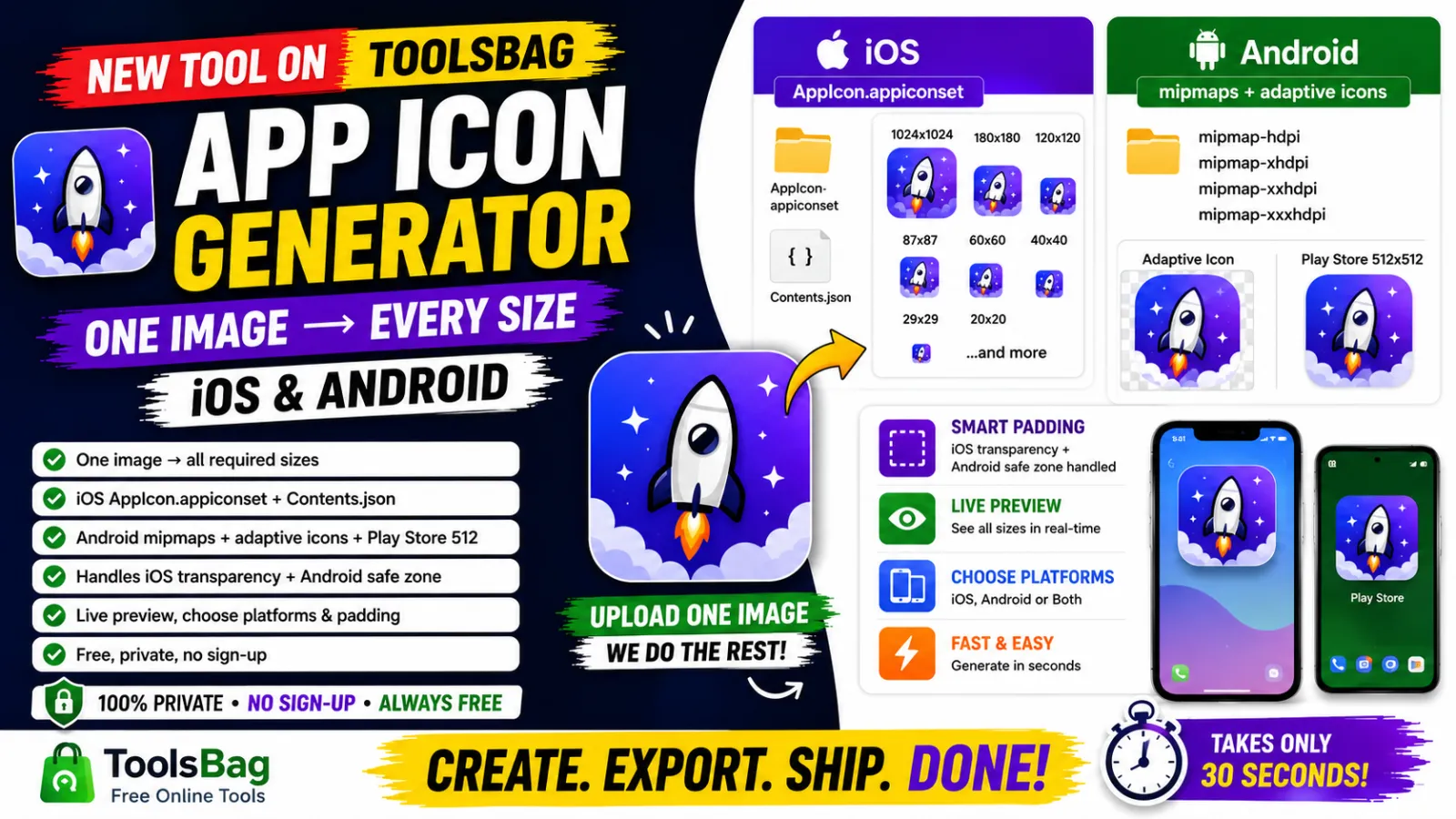
Drop in a square image (1024×1024 works best) and download a zip with:
- iOS — a ready
AppIcon.appiconsetfolder with every required size and theContents.json, so you drag it straight into your Xcode asset catalog. - Android — the full
mipmapdensity set (mdpi → xxxhdpi), round icons, adaptive-icon layers, and the 512×512 Play Store icon.
Gets the tricky details right
Most quick generators get these wrong — we don't:
- No transparency on iOS. Apple rejects app icons with an alpha channel, so any see-through areas are automatically filled with a background colour you choose.
- Android safe zone. Adaptive-icon artwork is kept inside the launcher's safe area, so your logo never gets clipped by the icon mask.
Options to match your app
- Choose platforms. Generate for iOS + Android, or just one.
- Padding control. Add breathing space around your icon when the artwork runs to the edge.
- Background colour. Pick the fill for iOS (and Android's adaptive background), with quick preset swatches.
- Live preview. See exactly how your icon will look — rounded on iOS, circular on Android — before you download.
How to use it
- Go to the App Icon Generator.
- Upload a square image — ideally 1024×1024 or larger.
- Pick your platforms, background colour and padding.
- Check the live preview, then download the zip.
- Drop the folders into your Xcode / Android Studio project. Done.
Private by design
Your artwork isn't stored or shared, and nothing goes to any third-party service. No sign-up, no account — just upload, generate, and go.
Who it's for
- Mobile developers shipping to the App Store and Google Play
- Designers handing off production-ready icon assets
- Indie makers who'd rather build features than resize PNGs
Stop exporting icons one size at a time. Generate your full icon set in seconds →
Building something and need a tool that doesn't exist yet? Tell us — it might be what we build next.