Every seller knows the numbers inside their seller panel.
Very few know the numbers sitting in the stack of shipping labels on their packing table.
They're the same orders.
The difference? One lives behind filters, exports, and dashboards. The other is already on your desk, ready to ship.
That's why we built Order Summary.
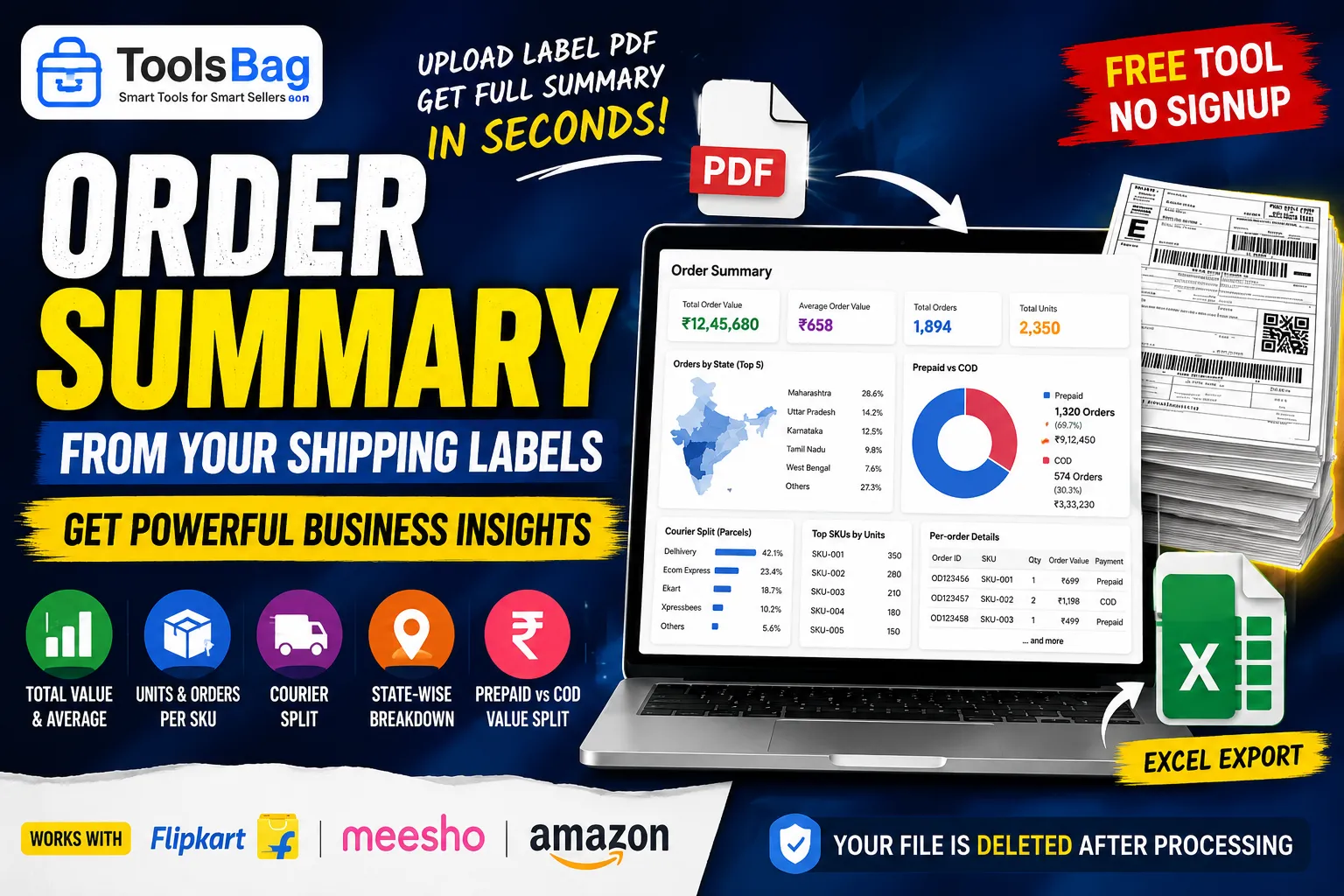
Simply upload the shipping label PDF you downloaded this morning, and instantly get:
✅ Total order value & average order value
✅ Units and orders per SKU — see what's actually selling
✅ Courier-wise shipment breakdown
✅ State-wise order distribution
✅ Prepaid vs COD split (including order value)
✅ Complete order-wise Excel export
No seller panel login. No date filters. No waiting for reports.
One insight that surprises most sellers is the state-wise breakdown.
Almost everyone knows their best-selling product.
Far fewer know which state generates the most orders.
That single metric can help you make better decisions about inventory planning, courier selection, and shipping costs.
One important note:
The Order Value shown is what the customer paid — not your payout.
Shipping labels don't contain marketplace commissions, shipping charges, or settlement deductions, so no label-based tool can calculate your actual profit.
We believe it's better to be transparent than show misleading numbers that could lead to bad business decisions.
Supports Flipkart, Meesho, and Amazon.
? Free to use
? No signup required
?️ Your uploaded file is automatically deleted after processing.
Try it here:
https://www.toolsbag.in/order-summary
How do you track your business?
? Do you monitor your order mix every day, or only when reconciling at the end of the month?